
Key Takeaways
- Authentication verifies a claimed identity; authorization decides what that identity may do.
- Configure Spring Security with a SecurityFilterChain, a user store, and a PasswordEncoder—not legacy configuration overrides.
- For browser applications, form login with a server-side session is a practical starting point. Keep CSRF protection enabled and require HTTPS in production.
- Test anonymous access, real password authentication, role restrictions, and CSRF enforcement before deploying.
To implement user authentication in a Java web app, configure Spring Security to verify credentials, establish an authenticated session, and enforce access rules. This Spring Security authentication example builds a complete form-login application, shows the HTTP Basic alternative, and explains what you must add before production.
What Is User Authentication?
Authentication verifies that someone controls the credentials associated with a claimed identity. Entering a username identifies an account; proving control of its password, passkey, or other authenticator authenticates the user.
Identification, Authentication, and Authorization
- Identification: “I'm the user named alex.”
- Authentication: “Here's proof that I control alex's account.”
- Authorization: “May alex view these candidates or change this account?”
Authorization is a separate decision, not an authentication factor. A successful login doesn't automatically grant administrative access. Spring Security represents permissions as authorities; with its default role prefix, hasRole("ADMIN") checks for the authority ROLE_ADMIN.
User Authentication Factors and MFA
- Knowledge: Something you know, such as a password or PIN. A username is an identifier, not a secret factor.
- Possession: Something you control, such as a security key or an authenticator containing a time-based one-time password (TOTP) secret.
- Inherence: Something you are, such as a fingerprint used for biometric verification. The term is inherence, not inheritance.
Multi-factor authentication (MFA) combines independent factors from different categories. A password plus another password isn't MFA. Password plus TOTP is a common combination, but OTPs can be phished; SMS also introduces risks such as SIM swapping. WebAuthn/passkeys offer phishing-resistant authentication and can provide MFA when user verification, such as a local PIN or biometric check, is required and verified.
User Authentication Mechanisms
HTTP Basic Authentication
HTTP Basic sends a username and password in the Authorization header. The credential value is Base64-encoded, not encrypted, so use it only over HTTPS outside an isolated local demonstration. A browser dialog is one client interface, not a requirement of the protocol.
Illustrative header; replace the placeholder with encoded credentials:
Authorization: Basic <base64(username:password)>
HTTP Basic Request Flow
- A client requests a protected resource.
- The server can return 401 with a WWW-Authenticate challenge.
- The client supplies credentials; clients can also send the header without waiting for a challenge.
- The server verifies the credentials, then applies authorization rules. Basic clients ordinarily supply credentials on subsequent protected requests too.
Spring Security enables this mechanism explicitly through httpBasic(Customizer.withDefaults()). Don't assume that adding its starter means every application universally uses Basic authentication.
Form-Based Authentication
Form login collects credentials through an HTML form. In the session-based configuration below, Spring Security persists the authenticated security context in the HTTP session, and the browser sends a session cookie on later requests.
Form Login Request Flow
- An unauthenticated browser requests a protected page and is redirected to the login page.
- The browser submits the username, password, and CSRF token.
- Successful authentication establishes the authenticated session; authorization still controls access to each resource.
- Failed authentication returns the user to the login flow with an error indication.
Cross-site request forgery (CSRF) tricks a browser into sending an unwanted request with credentials it attaches automatically. Spring Security protects unsafe methods, including POST, by default. Keep that protection for cookie/session authentication.
HTTP Basic:
client -- HTTPS + username/password header --> authenticate --> authorize

Form login:
browser -- HTTPS + login form + CSRF token --> authenticated session
browser -- HTTPS + session cookie ----------> authorize
           + CSRF token for unsafe requests
Spring Security Authentication Example: Project Setup
Java, Spring Boot, and Maven Baseline
This example targets Java 25, Spring Boot 4.1.1, and its managed Spring Security 7.1.1 dependencies. Spring Boot's documented Maven minimum for this baseline is 3.6.3. These are reproducibility pins, not a claim that they're the newest patches; review supported maintenance releases before deployment.
If application setup is new to you, start with our Spring Boot tutorial. Create this directory structure:
auth-demo/
  pom.xml
  src/main/java/com/example/auth/AuthApplication.java
  src/main/resources/application.properties
  src/test/java/com/example/auth/SecurityTests.java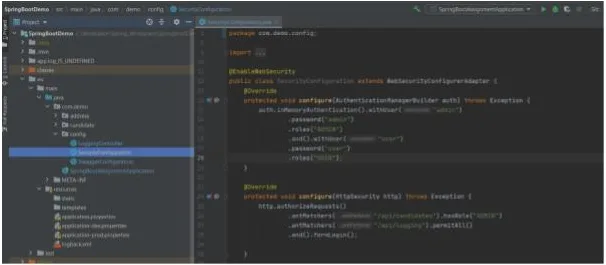
Create pom.xml. The Boot parent manages dependency versions; the focused web MVC and security test starters supply the testing dependencies used below.
<project>
  <modelVersion>4.0.0</modelVersion>
  <parent>
    <groupId>org.springframework.boot</groupId>
    <artifactId>spring-boot-starter-parent</artifactId>
    <version>4.1.1</version>
    <relativePath/>
  </parent>
  <groupId>com.example</groupId>
  <artifactId>auth-demo</artifactId>
  <version>0.0.1-SNAPSHOT</version>
  <properties>
    <java.version>25</java.version>
  </properties>
  <dependencies>
    <dependency>
      <groupId>org.springframework.boot</groupId>
      <artifactId>spring-boot-starter-webmvc</artifactId>
    </dependency>
    <dependency>
      <groupId>org.springframework.boot</groupId>
      <artifactId>spring-boot-starter-security</artifactId>
    </dependency>
    <dependency>
      <groupId>org.springframework.boot</groupId>
      <artifactId>spring-boot-starter-webmvc-test</artifactId>
      <scope>test</scope>
    </dependency>
    <dependency>
      <groupId>org.springframework.boot</groupId>
      <artifactId>spring-boot-starter-security-test</artifactId>
      <scope>test</scope>
    </dependency>
  </dependencies>
  <build>
    <plugins>
      <plugin>
        <groupId>org.springframework.boot</groupId>
        <artifactId>spring-boot-maven-plugin</artifactId>
      </plugin>
    </plugins>
  </build>
</project>
Configure the User Store, Password Encoder, and Routes
Put the following in AuthApplication.java. It keeps the application, security beans, and demonstration endpoints together; split them into separate classes as your application grows. This uses the supported bean-based configuration model rather than WebSecurityConfigurerAdapter overrides.
package com.example.auth;

import java.security.Principal;
import jakarta.servlet.DispatcherType;
import org.springframework.beans.factory.annotation.Value;
import org.springframework.boot.SpringApplication;
import org.springframework.boot.autoconfigure.SpringBootApplication;
import org.springframework.context.annotation.Bean;
import org.springframework.http.HttpMethod;
import org.springframework.security.config.Customizer;
import org.springframework.security.config.annotation.web.builders.HttpSecurity;
import org.springframework.security.core.userdetails.User;
import org.springframework.security.core.userdetails.UserDetailsService;
import org.springframework.security.crypto.factory.PasswordEncoderFactories;
import org.springframework.security.crypto.password.PasswordEncoder;
import org.springframework.security.provisioning.InMemoryUserDetailsManager;
import org.springframework.security.web.SecurityFilterChain;
import org.springframework.web.bind.annotation.GetMapping;
import org.springframework.web.bind.annotation.PostMapping;
import org.springframework.web.bind.annotation.RestController;

@SpringBootApplication
@RestController
public class AuthApplication {
    public static void main(String[] args) {
        SpringApplication.run(AuthApplication.class, args);
    }

    @Bean
    PasswordEncoder passwordEncoder() {
        return PasswordEncoderFactories.createDelegatingPasswordEncoder();
    }

    @Bean
    UserDetailsService users(
            PasswordEncoder encoder,
            @Value("${DEMO_USER_PASSWORD}") String userPassword,
            @Value("${DEMO_ADMIN_PASSWORD}") String adminPassword) {
        var user = User.withUsername("user")
                .password(encoder.encode(userPassword))
                .roles("USER").build();
        var admin = User.withUsername("admin")
                .password(encoder.encode(adminPassword))
                .roles("ADMIN").build();
        return new InMemoryUserDetailsManager(user, admin);
    }

    @Bean
    SecurityFilterChain security(HttpSecurity http) throws Exception {
        http.authorizeHttpRequests(authorize -> authorize
                .dispatcherTypeMatchers(DispatcherType.ERROR).permitAll()
                .requestMatchers(HttpMethod.GET, "/", "/api/logging").permitAll()
                .requestMatchers(HttpMethod.GET, "/api/candidates")
                    .hasRole("ADMIN")
                .requestMatchers("/account", "/account/**").authenticated()
                .anyRequest().denyAll())
            .formLogin(form -> form.permitAll())
            .logout(Customizer.withDefaults());
        return http.build();
    }

    @GetMapping("/")
    String home() {
        return "Public home";
    }

    @GetMapping("/api/logging")
    String publicStatus() {
        return "ok";
    }

    @GetMapping("/account")
    String account(Principal principal) {
        return "Signed in as " + principal.getName();
    }

    @PostMapping("/account/preferences")
    String preferences() {
        return "Demo only: no preferences were persisted";
    }

    @GetMapping("/api/candidates")
    String candidates() {
        return "Admin candidates";
    }
}
The rules allow public GET requests to / and /api/logging, require authentication for /account, and restrict GET /api/candidates to ADMIN. Everything else is denied unless handled by the configured login/logout filters; ERROR dispatches are permitted so errors can render. Rules are evaluated in declaration order.
The legacy /api/logging name is retained, but its handler returns only “ok.” Never make actual logs or sensitive diagnostics public. Apply least privilege, and add record-ownership checks where a role alone isn't enough.
Run the Form-Login Application
Create application.properties with an explicit loopback-only binding for this HTTP demonstration.
server.address=127.0.0.1
server.port=8080
From the project directory, use Bash to enter disposable passwords without placing them in command history. Then start the application.
read -r -s -p 'Demo user password: ' DEMO_USER_PASSWORD
printf '\n'
read -r -s -p 'Demo admin password: ' DEMO_ADMIN_PASSWORD
printf '\n'
export DEMO_USER_PASSWORD DEMO_ADMIN_PASSWORD
mvn spring-boot:run
Open localhost:8080/account in your browser and sign in as user or admin with the corresponding password. The generated login page includes CSRF handling. Visit /logout for the confirmation page; its POST invalidates the session and clears the authentication context.
Custom Login Forms and Failure Pages
You don't need a custom login page for this example. If you configure loginPage("/login"), provide a controller and template for GET /login. Submit username and password parameters to POST /login, include the CSRF token, and display a generic failure message rather than revealing whether an account exists.
Spring Security enforces these rules through its servlet filter chain. Container-managed security using a deployment descriptor is a different configuration approach; a web.xml security constraint isn't required for this Boot application.
Switch the Example to HTTP Basic
For a Basic-only variant, remove the formLogin call and add this statement before return http.build(). Keep the same users and authorization rules.
// Fragment inside security(HttpSecurity http), after configuring route rules:
http.httpBasic(Customizer.withDefaults());
Restart, then run the following local-only request. Supplying only the username makes curl prompt for the password.
curl --user admin http://localhost:8080/api/candidatesBasic authentication doesn't automatically remove CSRF risk: browsers can automatically resend cached Basic credentials. Keep CSRF enabled unless you've established that the relevant endpoints don't accept browser-attached credentials. Restore the form-login version before running the following tests.
Test Authentication, Roles, and CSRF
Create SecurityTests.java. The formLogin test exercises the actual user store and password encoder; user(...) supplies a mock identity for focused authorization tests. The csrf() helper supplies a valid test token.
package com.example.auth;

import org.junit.jupiter.api.Test;
import org.springframework.beans.factory.annotation.Autowired;
import org.springframework.beans.factory.annotation.Value;
import org.springframework.boot.test.context.SpringBootTest;
import org.springframework.boot.webmvc.test.autoconfigure.AutoConfigureMockMvc;
import org.springframework.test.web.servlet.MockMvc;

import static org.springframework.security.test.web.servlet.request.SecurityMockMvcRequestBuilders.formLogin;
import static org.springframework.security.test.web.servlet.request.SecurityMockMvcRequestPostProcessors.csrf;
import static org.springframework.security.test.web.servlet.request.SecurityMockMvcRequestPostProcessors.user;
import static org.springframework.security.test.web.servlet.response.SecurityMockMvcResultMatchers.authenticated;
import static org.springframework.test.web.servlet.request.MockMvcRequestBuilders.get;
import static org.springframework.test.web.servlet.request.MockMvcRequestBuilders.post;
import static org.springframework.test.web.servlet.result.MockMvcResultMatchers.redirectedUrlPattern;
import static org.springframework.test.web.servlet.result.MockMvcResultMatchers.status;

@SpringBootTest
@AutoConfigureMockMvc
class SecurityTests {
    @Autowired
    MockMvc mvc;

    @Value("${DEMO_USER_PASSWORD}")
    String userPassword;

    @Test
    void publicRouteAllowsAnonymousAccess() throws Exception {
        mvc.perform(get("/api/logging")).andExpect(status().isOk());
    }

    @Test
    void protectedRouteRedirectsAnonymousUser() throws Exception {
        mvc.perform(get("/account"))
                .andExpect(status().is3xxRedirection())
                .andExpect(redirectedUrlPattern("**/login"));
    }

    @Test
    void formLoginAuthenticatesAgainstUserStore() throws Exception {
        mvc.perform(formLogin().user("user").password(userPassword))
                .andExpect(authenticated().withUsername("user"));
    }

    @Test
    void adminRoleIsRequiredAndUnknownRoutesAreDenied() throws Exception {
        mvc.perform(get("/api/candidates").with(user("user").roles("USER")))
                .andExpect(status().isForbidden());
        mvc.perform(get("/api/candidates").with(user("admin").roles("ADMIN")))
                .andExpect(status().isOk());
        mvc.perform(get("/unlisted").with(user("admin").roles("ADMIN")))
                .andExpect(status().isForbidden());
    }

    @Test
    void stateChangingRequestRequiresCsrfToken() throws Exception {
        mvc.perform(post("/account/preferences").with(user("user")))
                .andExpect(status().isForbidden());
        mvc.perform(post("/account/preferences")
                        .with(user("user")).with(csrf()))
                .andExpect(status().isOk());
    }
}
The AutoConfigureMockMvc import above uses the Boot 4 package. Run mvn test from the shell containing the demonstration environment variables. Add negative-login, logout, session-expiry, and ownership tests as the application grows.
Build, Package, and Deploy the Application
Using Maven
Stop the development process, then run these commands from the directory containing pom.xml. The first verifies the build, including tests and packaging; the second runs the executable archive. Keep the demonstration environment variables available.
mvn clean verify
java -jar target/auth-demo-0.0.1-SNAPSHOT.jar
This Boot application uses an executable JAR; a WAR isn't universally recommended or required. Deploy the archive to a suitably configured runtime with HTTPS, external configuration, and the production controls below. Maven's deploy phase publishes artifacts to a configured repository—it doesn't launch a web application on a server.
Using IntelliJ IDEA
Import the Maven project, select the matching JDK, and run AuthApplication with the demonstration environment variables in its run configuration. Use the Maven lifecycle goals for the same reproducible build rather than a separate IDE artifact layout.
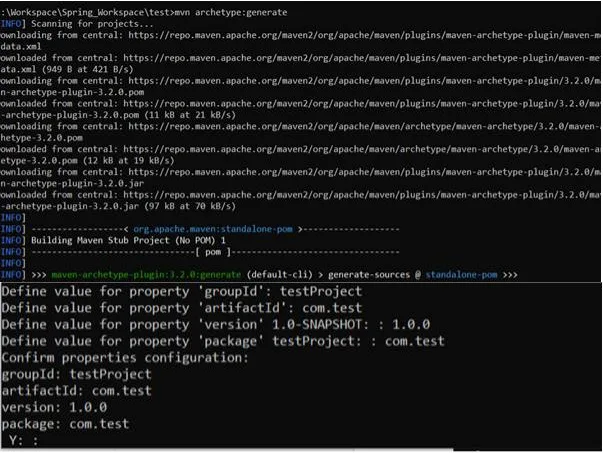
Original build and deployment screenshots
These screenshots document the older tutorial workflow, not the current dependency or security configuration.




Choose Sessions, Tokens, or Delegated Login
| Approach | Useful starting point | Security responsibility |
|---|---|---|
| Form login and server-side session | A browser application you control | Protect cookies, enforce CSRF checks, expire and invalidate sessions. |
| Bearer access tokens | APIs called by mobile apps or other services | Validate tokens and permissions; design expiry, storage, and revocation. |
| OpenID Connect login | Delegating sign-in to an identity provider | Configure the protocol correctly and map identity claims to local permissions. |
These choices aren't mutually exclusive: an OpenID Connect login can establish a local browser session. OpenID Connect (OIDC) adds an authentication layer to OAuth 2.0; OAuth authorization alone isn't a general-purpose login protocol. See our OpenID Connect example for the distinction.
For delegated login on this Boot baseline, use spring-boot-starter-security-oauth2-client, configure the provider and client registration, and enable oauth2Login(Customizer.withDefaults()). Follow the Spring Security OAuth login configuration; keep client secrets outside source control.
A JSON Web Token (JWT) is a token format, not a session-security replacement. For JWT-protected APIs, Spring Security's resource-server support handles token verification. Require the expected issuer, audience, signature algorithm, and expiration; clearing a browser's token doesn't invalidate a stolen copy, so plan revocation where immediate termination matters.
Browser localStorage is readable by JavaScript and vulnerable to token theft through cross-site scripting. HttpOnly cookies prevent JavaScript from reading the cookie, but automatically attached cookies still require CSRF defenses. Choose storage from your threat model, not because a tutorial labels tokens “stateless.”
Production Checklist
Persist Users and Store Passwords Safely
Replace InMemoryUserDetailsManager with a persistent UserDetailsService or delegate authentication to an identity provider. Our Spring Data JPA CRUD example covers the persistence plumbing; don't expose password hashes through user API responses.
PasswordEncoderFactories.createDelegatingPasswordEncoder() encodes new passwords with bcrypt on this baseline and records the encoder identifier in the stored value. Store that complete value. At login, use the encoder's password-matching operation rather than comparing two freshly generated hashes.
For a new production password store, OWASP prefers Argon2id. Use adaptive password hashing, let the implementation generate unique salts, and tune its cost for your deployment. Don't store plaintext or reversibly encrypted passwords. If retaining bcrypt, account for its 72-byte input limit rather than silently truncating passwords.
Protect Transport and Sessions
Require HTTPS for login and authenticated traffic. TLS protects data in transit; see how TLS works. For an HTTPS deployment, apply settings such as these through your deployment configuration—not the plain-HTTP local demonstration. These are explicit choices, not a list of defaults.
# Production HTTPS configuration fragment
server.servlet.session.cookie.secure=true
server.servlet.session.cookie.http-only=true
server.servlet.session.cookie.same-site=lax
server.servlet.session.timeout=15m
Secure restricts cookie transmission to HTTPS; HttpOnly prevents JavaScript from reading it. SameSite limits some cross-site cookie sending but doesn't replace CSRF protection. When scaling across instances, deliberately choose session routing or a shared session store and test logout and invalidation across nodes.
Handle Recovery and Login Abuse
- Rate-limit login and recovery attempts; watch for credential stuffing, where attackers replay leaked username/password pairs.
- Use generic failure messages. Balance lockout against the risk that an attacker can deliberately lock out legitimate users.
- Make password-reset tokens unpredictable, short-lived, and single-use. Invalidate affected sessions according to your recovery policy.
- Require stronger verification for sensitive changes and privileged accounts.
- Audit authentication failures, recovery events, and privilege changes without recording passwords, session identifiers, or bearer tokens.
Use the OWASP authentication guidance and password-recovery checklist to review these flows. A working login form is only the beginning of account security.
FAQ
How do I add authentication to a Spring Boot application?
Add the Spring Security starter, define a SecurityFilterChain with explicit route rules and a login mechanism, and configure a user store and PasswordEncoder. For browser sessions, keep CSRF protection enabled and require HTTPS in production.
How do I configure Spring Security without WebSecurityConfigurerAdapter?
Declare SecurityFilterChain, UserDetailsService, and PasswordEncoder beans instead of overriding configure methods. Use authorizeHttpRequests and requestMatchers for HTTP access rules.
Is HTTP Basic authentication safe for a web application?
HTTP Basic requires HTTPS because Base64 doesn't encrypt credentials. It can suit controlled clients, but browser applications usually benefit from form or OIDC login with managed sessions; Basic authentication doesn't automatically eliminate CSRF risk.
How should passwords be stored in a Java application?
Store salted, adaptive password hashes through a suitable PasswordEncoder, never plaintext or reversibly encrypted passwords. OWASP prefers Argon2id for new password stores; persist the full encoded value and verify passwords through the encoder.
When should I use form login versus JWT or OAuth 2.0?
Use form login with a session for a browser application you control, and consider bearer access tokens for independently consumed APIs. Use OpenID Connect for delegated authentication; OAuth 2.0 governs authorization, and JWT is a token format rather than a login mechanism.
Further Reading
- Spring Boot system requirements — supported Java and build-tool baselines.
- Spring Boot managed dependency coordinates — dependency versions supplied by the Boot release.
- Spring Security form login — generated pages, credential processing, and custom forms.
- Authorizing HTTP requests — matchers, roles, authorities, and deny-by-default rules.
- Spring Security password storage — encoders, matching, and stored formats.
- Spring Security CSRF protection — token handling for browser applications.
- Testing form authentication — exercising login with Spring Security test support.
- OWASP MFA guidance — factor independence, OTP tradeoffs, and passkeys.
